I just discovered that my iPhone/iPad iTune back ups that I choses to store on my computer take up over 150GB of storage on my computer. Now that was a surprise!
I finally got the iPhone 5 yesterday - Black/64GB/AT&T. Yippy! Of course I wanted to sync all of my iPhone 4S information to the new phone so I plugged it into my laptop and clicked Restore in iTunes. That is when I realized just how many backups I had. There were a dozen or so some of my iPhones and some from my iPads (past and present). Some were dated, others were not so it was actually difficult to decide which backup I wanted to restore to. Well I picked one and the restore began. After a couple hours I discovered I picked the wrong one from about a year ago, so I once again, more carefully this time chose another.
Now I have to admit that I am low on hard drive space on my MacBook. (It seems that these iPhone photos take up more space then I thought.) I was down to only 28GB even after deleting (I first I backed them up on two external drives - one that is kept off site for safe keeping) several old iPhone image folders.
Back to Restoring my iPhone 5.... After choosing the second backup, I went to bed crossing my fingers that the restore would be complete by morning. What I did wake up to was an error message on my computer saying that there wasn't enough space on my computer to complete the process. I checked my hard drive space to discover I went from 28GB to 1.91GB - that was puzzling to me.
So I started to investigate. After some research on the internet I discovered where my iTune backups were stored.
Mac HD/Users/terilou/Library/Application Support/MobileSync/Backup/filenames.
Yes they are buried...and of course named/coded with lots of numbers that are meaningless to me. It was impossible to tell which were old backups and which were current. So instead of just deleting them randomly, I decided to back them up on an external drive. That is when I discovered that they were taking up 150GB of space on my hard drive. Why that surprised me when I have a 64GB iPhone and a 64GB iPad I am not sure but it did! After the MobileSync is completed on my external drive (6 hours is the estimated time needed) I will delete the old files and get back to the iPhone 5 restore sync.
BTW I love the feel of the iPhone 5 in my hand without a cover. I do use screen protectors on the front but usually nothing more. I also to purchase Apple Care that replaces the phone for only $49 if damaged in any way. I just can't wait to take a photo or two with it.
Hope this information is useful to some of you. I was quite surprised at the amount of storage the backups require but then again I do have the 64GB phones and iPads!
COMING IN JANUARY! NEW VIDEO COURSES
Teri Lou is busy creating MyiPadLive processing videos that will be available for purchase in January. They can be purchased separately or as courses.
Stay tuned for more information in the coming days.

The journey of a single woman, purposely living full time as a nomad in a DIY custom van while teaching creative iPhone photography workshops and leading photography tours throughout the USA.
Showing posts with label iPhone 4S. Show all posts
Showing posts with label iPhone 4S. Show all posts
January 7, 2013


September 30, 2012
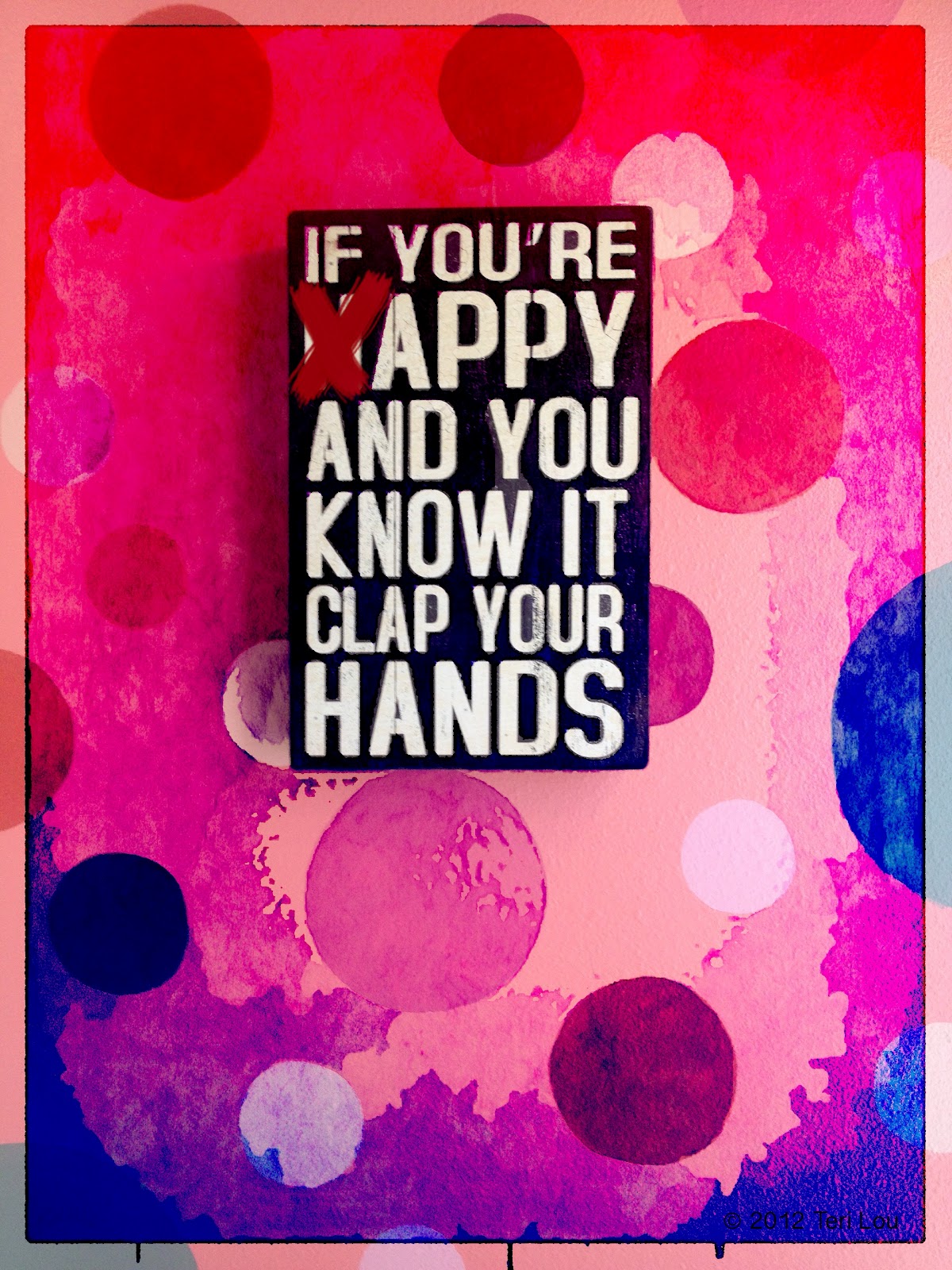
APPY and YOU KNOW IT!
 |
| APPY and YOU KNOW IT! |
Had fun with a sign I captured at a candy store and a new app called Popsicolor.
Of course I blended it with other layers!
Check it out!
DONT FORGET TO SIGN UP TODAY!
Online iPhone Photography Courses start MONDAY!
Learn how to create artistic iPhone Photography images with easy to follow online courses. Next course starts October 1st. Please see side bar for more information.
Come join me on Google+ Hangouts. Circle me and I will invite you to join in the fun.
September 26, 2012
iPhone Photography - iPhoneography Course 101 starts Monday!
 |
| I have written a wonderful story to go with this moment during my trek in Nepal. |
Today's image is from a body of work I am creating for my Nepal series. My goal is to create a book with images, processes and stories.
If you want to learn more about the creative iPhone capture and processing SIGN UP NOW for my online course starting Monday, October 1st. Please see side bar for more information.
September 18, 2012
iPhone 5 - selling at record pace - I am still holding out!
 |
| The incredible Enchantments, September 2013 |
Since I have the 4s I am actually holding off for the moment. I have some concerns about the battery life with the faster processor and larger screen. Wish I hadn't updated my iPad from the 2, the battery life is short when processing my images and slow to recharge, in my opinion. In the end I will most likely get it but I first want to see what the photographic community thinks of it.
I couldn't resist posting another version of the goat in this incredible location. After he perfectly posed standing he then laid down for another round of great images.
ProHDR
Autostitch
TouchRetouch
SketchHD
Snapseed
Filterstorm
Image Blender
Luminance
A+ Signature
Learn how to create artistic iPhone Photography images with easy to follow online courses for only $169.the four week course starts October 1st. Please see side bar for more information. Come join me on Google+ Hangouts. Circle me and I will invite you to join in the fun.
September 13, 2012
iPhone 5 Pano vs ProHDR and AutoStitch?
 |
| iPhone capture - Sunset in the Enchantment Lakes, Washington State |
Today's image from the Enchantments is a solid reminder to why I love my iPhone and iPad! The iPhone captured this image using the ProHDR app and then was stitched together with Autostitch. From Apple's announcement yesterday, I understand the the iPhone 5 will be able to auto capture panoramic images. The concept sounds great but I don't think it will replace my workflow of using HDR images to stitch together. Getting the lights dynamic range is very important for my final image.
Can you believe the mountain goat? No I didn't have to cut and paste him in! It was like he was standing right besides me appreciating the magnificence too! Oh how I wish I could bask in the glory of sunsets like this everyday.
The processing on my iPad was quite complex for this image. I wanted the moment to speak the volumes to others that it spoke to me at the time of capture. So I took my time and did a lot of masking and blending to direct the viewers eyes and keep them in the frame.
Snapseed
PhotoForge 2
Artist Oil
ImageBlender
Filterstorm
Learn how to create artistic iPhone Photography images with easy to follow online courses. Next course starts October 1st. Please see side bar for more information. Come join me on Google+ Hangouts. Circle me and I will invite you to join in the fun.
September 11, 2012
We will never forget...9-11...

Some days are never forgotten. Some moments need to be remembered. We all have our own personal story that touched us this day 11 years ago. Take a moment to appreciate what you have and those you love!
Learn how to create artistic iPhone Photography images with easy to follow online courses. Next course starts October 1st. Please see side bar for more information. Come join me on Google+ Hangouts. Circle me and I will invite you to join in the fun.
August 22, 2012
iPhoneography - Capturing the often photographed Multnomah Falls iPhone Pano style
 |
| Multnomah Falls, Columbia Gorge, OR |
For this image I stitched 6 captures together with AutoStitch and then continued the process with Glaze as my blending layers, masking the original bridge back in to the final image. I also used Snapseed to create more contrast in the misty scene.
The scene is a postcard classic, however I haven't seen an iPhone capture of it quite like this one.
This image can be printed in its native size 13x24 inches. This capability is one reason I love to capture multiple images and process with AutoStitch.
Be sure to sign up for my iPhone courses next month.
Learn how to create artistic iPhone Photography images with easy to follow online courses. Next course starts September 3rd. Please see side bar for more information. Come join me on Google+ Hangouts. Circle me and I will invite you to join in the fun.
November 14, 2011
Hipstamatic - Mix, Match and Blend
 |
| Colorful Canoes |
During the last iPhone Photography Workshop on Whidbey Island I was on this dock with all these colorful canoes. I took several images of them first with the SlowShutter camera and then with PorHDR. Next I decided to try Hipstamatic using the Blanko film and all the lens choice I purchased. I ended up with several images of different colored boats. I also shot a John S with The BlackKey's B+W (a favorite). Today's blog image is a combo of John S and BlackKey's B+W and the Lucifer VI. I combined the images in several ways, first in Filterstorm, then with Blender. I also used Snapseed for Structure and Drama!
I was hoping to be able to use FIlterstorm to easily paint in one color but found the tonality of the image to be too similar to do an effective job. So I instead pumped up the saturation and add drama. The two frames came from Hipsta and no where else.
On another note: I am honored to be apart of the Aurora Photos myPhone stock image collection. Aurora is the first stock agency to recognize the iPhone images potential. Click here for the Press Release.
iPhoneography Classes Available Now! - next class starts November 21st - only six student per session. FYI - prices will increase in 2012. If you would like to learn how to capture and process iPhone images beyond a basic snapshot take an Online iPhoneography Course with Teri Lou. Two courses are available iPhoneography 101 and iCreativity. Click on the direct links in the upper left hand column of this blog for information, pricing and schedule.
October 27, 2011
Almost Home
 |
| Autumn still hasn't arrived in Cottage Grove |
Stopped by my dad's for a short visit. He lives in a small town south of Eugene, OR. On the way there I took the back road looking for a scene that would say 'country'. When I was almost to his driveway I saw this.
My dad has a wonderful home that he loves. He has remodeled it, using his talents to make cabinets, drywall, tile, and even make his own pine moulding. 'My dad can do anything!' Growing up he was a fire fighter and role modeled his creative talents of being a photographer.
It was fun to spend the day showing him all that I have accomplished as an iPhone Photographer in such a short time.
Today I am driving home but first I will be belatedly celebrating my birthday with my daughter. Life is good!
iPhoneography Classes Available Now! - next class starts November 21st - only six student per session. FYI - prices will increase in 2012. If you would like to learn how to capture and process iPhone images beyond a basic snapshot take an Online iPhoneography Course with Teri Lou. Two courses are available iPhoneography 101 and iCreativity. Click on the direct links in the upper left hand column of this blog for information, pricing and schedule.
October 19, 2011
iPhone 4S, iOS 5 and the iCloud - Pros and Cons
 |
| Screen print from my Mac Book Pro, Lion not installed |
On Sunday I went to the Forum Shops on the Strip and asked if they had the iPhone 4S in stock. They said which one? I replied the 64K, black, ATT version. YES! it was available. I always buy Apple Care and was informed they had an upgrade. For $99, instead of $79, you could now have the phone replaced if it was dropped or if there is water damage for $49. Since I am one of those rare people who actually knows first hand what it is like to drop the phone in the toilet, I purchased the upgrade.... ;-) Another hint is that if you purchase the phone at Apple, instead of ATT, you only pay sales tax on the discounted price and not the full price, at least in Vegas, that saves enough money to buy some new apps!
A great feature that is offered right in the store is to have all your contacts transfered from your old phone to the new one so when you walk out you are ready to make all your calls, send messages and emails. Unfortunately since my Address Book has been, well, performing poorly for months (and not fixed after hours in the Apple Stores) the simple transfer didn't work for me. I am however happy to report that after 8 hours of manually moving each contact one by one I know have 293 contacts merged and updated! ;-)
I am also happy to report that after syncing the new phone with iTunes I have started to organize my 307 apps into folders. However I am not close to being done. I will work on that more later today. My iPad is a mess too, ugh!
So how do I like the the new 8mp camera? Well sadly I have nothing to personally report YET! Harry Sandler has done some great testing and so have many others. There are many great reviews and I am so so glad that I have it. I am sure I will get out this afternoon and at least take one photo!
So what have I been doing beside organizing my apps and contacts? Well I went to a class at the Apple Store to learn more about the iCloud. I was hoping to find out what happens after you take 1001+ images in 30 days or less, since the iCloud only holds 1000 photos. Many employees have heard what may or may not happen but none had actually done the testing themselves. So I don't know what happens. I do know that in order to use the iCloud properly, you must first set up the iCloud on your computer. If you have a PC you can go directly to the iCloud. sign in and be ready to move to your iPhone (3gs or higher) and your iPad. However if your computer is a Mac you must first install Lion to get the iCloud to work properly. So, this girl will not be using iCloud at this time. Why? well, first of all I don't have my time machine backup (just in case), I really don't have any need for iCloud at this time, and the complications it may or may not cause I really don't have time for.
What else have I been doing? I have updated my old iPhone 4 to iOS 5 hoping that would solve my problem with my contacts (it didn't). I have updated my iPad to iOS 5. Then I discovered that many of my favorite photography apps are not updated to iOS 5 yet and either crash or are not saving as a high resolution image. Hipstamatic is one that is saving at only 1200x1200 pixels. Transfer, my favorite app to move my photos from one device to another crashes. However the most important thing I have discovered is that it was necessary to make sure each and every one of my apps setting is changed to save the photos in high resolution. Thank goodness that each app is acting as if I am opening it for the first time and therefore I am reminded that I need to make these changes. So please make sure you are saving your photos in high resolution by making changes to each app in 'Settings' on the iPhone and in each of your apps where appropriate.
Ok so for some good, great and terrific news! I love Siri!!! It is fun just to have a conversation with her or him. I have asked some of the silly questions. "What am I hungry for?" "How old am I?" "Where do you live?" -- try your own it is quite entertaining. For more productive work it is great to be able to talk a text message or an email. Love adding reminders and appointments. I even asked it to find the Apple Store the other day and the map came right up...so awesome. I think 'Hal' is alive and well! on his way to face recognition, and soon to be capable of reading lips!
So after the short time I have actually been using my new iPhone 4S with iOS 5 and without the iCloud, I must say I am excited to continue moving forward with this technology. It is difficult to purposefully jump into hours and hours of reorganizing and discovery, but I willing do so because I truly believe the vision of Steve Jobs and many like him will make our lives so much better in the end.
I am now off to take a few images. I will post soon!
iPhoneography Classes Available Now! - next class starts November 21st - only six student per session. FYI - prices will increase in 2012. If you would like to learn how to capture and process iPhone images beyond a basic snapshot take an Online iPhoneography Course with Teri Lou. Two courses are available iPhoneography 101 and iCreativity. Click on the direct links in the upper left hand column of this blog for information, pricing and schedule.
Subscribe to:
Posts (Atom)