Showing posts with label Montage. Show all posts

October 10, 2011

Adventure with the Cats

After spending two nights in the Grand Staircase I began to see faces in the rock formations!
The last three days were full of adventure and beauty. As I am typing this I am trying to remember it all. On Saturday morning woke up at 5am to capture the sunrise on the north rim of the Grand Canyon at Cape Royal.
We then traveled to Page, AZ stopping at a few sites along the way including Horseshoe Point. After Page we decided to take the short route that also looked more adventurous because it was a gravel/dirt road from Big Water to Escalante.
As soon as we got off the highway we were treated with amazing rock formations and wonderful dark clouds. About 10 miles into the canyon we looked ahead wondering where the road could  possible go and discovered it was straight up the canyon wall. So fun. The BMW performed wonderfully as we climbed the rocky rutted road. At the top we stopped to take a few photos. I wish we would have on the way up as the car was climbing up a road that would have been hard to walk up.
As we reached the plateau, the sun was about to set and the cloud formations were incredible. We actually pointed our cameras to the sky wanting to just capture the unsettled ocean wave like clouds of steel blue color. (very surreal). That was only the start of the light show. When the sun hit the horizon and then for 30 minutes afterwards, the reds, oranges and yellows danced around us. As we were capturing the beauty in one direction the brillance would appear in another direction. It was a photographers dream.
Even though it was dusk we continued to drive hoping to reach Escalante before bedtime. The road continued to be rough in spots and at times we were crossing river beds some with water, other that were dry. One particular difficult  crossing dipped low quickly into wet sand and rock before entering the river bed. We knew that once we dropped down and crossed the river we would not be able to turn back.
It was dark when we came to a 'T' in the road and the signs said that we would reach Escalante either way. We took the fork to the left and travelled another 45 minutes until we reached a puddle in the middle of the road that look long and deep. Too deep to be stuck in all night long. So we backed up and parked a little off the road finding a place to call home for the night.
The adventure continued in the morning as we once approached the puddle which I now called a lake ( sounded much more dramatic that way). I got my Iphone out and decided this moment had to be video taped. I just knew this was the end of the adventure and would need a tow from a good Samaritan that would hopefully drive by shortly.
As Mark gunned it through the lake, water was spraying everywhere. Somehow I didn't get wet at he flew by. I was laughing so hard as he drove by reaching dry ground. Home free, we would be in Escalante before lunch.
To be continued.....

ProHDR
Montage
fxPhotoStudio
Artista Haiku


iPhoneography Classes Available Now! - next class starts November 21st - only six student per session. FYI - prices will increase in 2012. 


 If you would like to learn how to capture and process iPhone images beyond a basic snapshot take an Online iPhoneography Course with Teri Lou. Two courses are available iPhoneography 101 and iCreativity. Click on the direct links in the upper left hand column of this blog for information, pricing and schedule.

August 31, 2011

DIPTIC with a few Twists

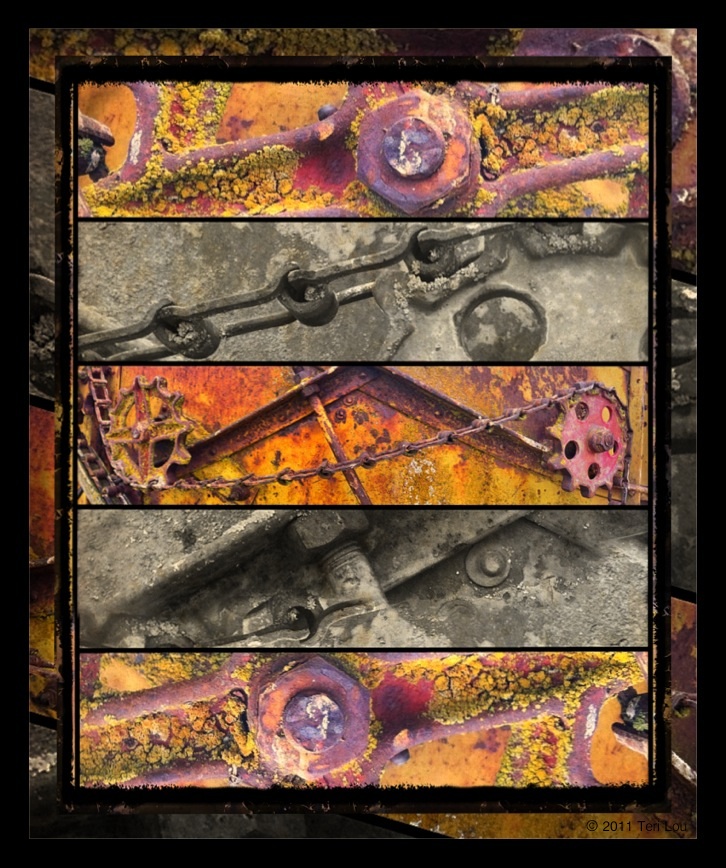
Rusting Combine in the field of the Palouse

I started with Diptic and ended up using a whole lot more app to create today's blog image.

Diptic
fxPhotoStudio
Snapseed
Blender
Filterstorm
Montage
Filterstorm
fxPhotoStudio
Impression


FREE fxPhotoStudio for iPAD WITH MASKING - Sign up for my September 12th course, eith iPhoneography 101 or  iCreativity and you will receive fxPhotoStudio for the iPad with masking free.

iPhoneography Classes Available Now! - next class starts September 12th - only six student per session. If you would like to learn how to capture and process iPhone images beyond a basic snapshot take an Online iPhoneography Course with Teri Lou. Two courses are available iPhoneography 101 and iCreativity. Click on the direct links in the upper left hand column of this blog for information, pricing and schedule.
July 2, 2011

Scene of an Abandoned Barn

Add caption
Hipsta
Diptic
fxPhotoStudio
Grungetastic
Montage
Filterstorm
Impression


iPhoneography Classes Available Now! - next class starts July 11th - limit 6 student per course. If you would like to learn how to capture and process iPhone images beyond a basic snapshot take an Online iPhoneography Course with Teri Lou. Two courses are available iPhoneography 101 and iCreativity. Click on the direct links in the upper left hand column of this blog for information, pricing and schedule.

June 22, 2011

Great Service at the Apple Store

Four Hipstamatic images stitched together with AutoStitch
A couple weeks ago I purchased my first Mac laptop. The powerful MacBook Pro 17" - to add to my iPhone, iPad collection. Seemed fitting since I have jumped into iPhoneography with both feet. I was told how much I would love the machine and how great Apple's customer service was. Well sadly I didn't start with the best experience, my machine went down within 10 days, the MotherBoard needed replaced.

Most of the people I talked to never heard of such a thing happening to a Mac, therefore I felt uniquely special that day. However I really didn't like owning a machine that was 'different' than 99.9% of the others. So yesterday I went to the Apple Store in Bellevue, WA.

It was here that I received the customer service most other Mac users had experienced. Caroline took superb care of me. Because of her and the manager I left the store with a new computer that was faster and had a larger hard drive than the machine I had originally ordered through the online store. I also received a $100 iTunes card (a current promotion).

I had backed up the old computer with Time Machine, so all we had to do was plug in my external drive and wait 1.5 hours for the new machine to make the transfer (yes I had spent a lot of time installing software, documents, music, photos, etc in the last 2 weeks). When the transfer was complete and the MacBook Pro booted for the first time all the information was there and the screen was just as though I was waking up my old machine. I was very impressed.

Thanks so much Carolina! and to Apple for keeping true to their reputation!

Since I did have 1.5 hours I spent the time not so surprisingly capturing and processing an image in-store. The above image is four Hipstamatic images AutoStitched one on top of the other. I also used Montage Pro, fxPhotoStudio, and Filterstorm to process. I used the clone tool in Filterstorm to create the MacBook Frame.

I also spent some time showing Caroline what was possible with the iPhone camera and it's photography apps. She was very impressed, shockingly so. ;-)

iPhoneography Classes Available Now! - next class starts July 11th - limit 6 student per course.
If you would like to learn how to capture and process iPhone images beyond a basic snapshot take an Online iPhoneography Course with Teri Lou. Two courses are available iPhoneography 101 and iCreativity. Click on the direct links in the upper left hand column of this blog for information, pricing and schedule.

June 20, 2011

Grungetastic - Bricks on the Wall

The Bricks on the Wall

Captured in the city of Palouse on the wall of a restaurant after etting a great Rueben. 

Hipstamatic
Grungetastic
Filterstorm
Montage
PerfectPhoto
Impression


iPhoneography Classes Available Now! - next class starts July 11th - limit 6 student per course.

If you would like to learn how to capture and process iPhone images beyond a basic snapshot take an Online iPhoneography Course with Teri Lou. Two courses are available iPhoneography 101 and iCreativity. Click on the direct links in the upper left hand column of this blog for information, pricing and schedule.

June 10, 2011

RetroPak One - Hipstamatic

The sea floor within the peeling paint


Today the big news on Facebook was my students and fellow iPhoneographers asking, "When am I going to be able to download the RetroPak from Hipstamatic." Seems that it was later than promised but by the end of the day it was available and many had downloaded it and starting playing.

I had intended to go out and capture some great images using the Salvador 84 lens and Dream Canvas film in honor of the RetroPak one, however when a iPhoneography girl sees some of the best peeling paint ever she changes her mind. I did capture some fishy peeling paint with the Hipsta and blended them into my creation tonight.

The peeling paint reminded me of scuba diving in Figi. The sea ferns and algae flowing with the current. I also found some fish, if you think very creatively. So I created a montage with Juxtaposer tonight.

The native camera
Hipsta
PerfectPhoto
Juxtaposer
ArtistaOil
Filterstorm

The fishy - Peeling paint Hipsta Dream Canvas style


iPhoneography Classes Available Now! - next class starts June 13th.


If you would like to learn how to capture and process iPhone images beyond a basic snapshot take an Online iPhoneography Course with Teri Lou. Two courses are available iPhoneography 101 and iCreativity. Click on the direct links in the upper left hand column of this blog for information, pricing and schedule.

May 6, 2011

Scrapbooking on the iPad

My crazy daughters!!!
This afternoon I was thinking of strong, capable, nice women and was reminded of this poem, one of my favorites. It is hanging in my hallway on the way to the kitchen. I thought it would be fun to take a photo of the poem for a montage that I was planning to work on. I thought I was going to use it as the background or place it in the corner of my latest work. I also went upstairs looking for texture papers to shoot, never can have enough of those. Then I sat down and opened up Montage on my iPad and started adding various images. Nothing was blending the way I hoped, so I started concentrating on just framing the poem. As I framed it I was reminded of the days I was into scrapbooking (yes I have all the papers, punches, stamps, stickers, glitter....) and thought I would create 'a page' with  Montage. It was fun to build one element after the other, framing, sizing and placing. The main difference is that I didn't use scissors or glue, and I could resize the image to fit, so much easier. It is also very cool that I will always have this page with me on my iPad. I will admit that I used some photos from the archive files just as I would have if I was doing old fashioned scrapbooking so my daughters were not shot with the iPhone (me bad). The photo came from a Mother's Day about 5 years ago - a wonderful memory!

Montage - placement, sizing, text and clip art
Filterstorm - blending, framing and sizing
Grungetastic - framing
PhotoStudio - framing and rotating
Poem by Eleanor Roosevelt

Please note: I have created 'Pages' for my online iPhoneography classes - see box in upper left column. There you can find information on each class I instruct and a simple Buy Now button to sign up. Of course you can always contact me with additional questions prior to signing up if you like. Remember iPhoneography 101 starts again on Monday, May 9th. Space is limited. 

May 5, 2011

Montage and Filterstorm Blending

Composting your images together can be very powerful way to tell a story. You can take different elements from different time periods and blending them together in a way that might make sense only to you. The trick is to find some way to make them blend in a harmonious way. With this collage I chose to process all my elements with the same tones to create the harmony. I used the combination of the apps,  Montage for sizing and placement and Filterstorm for blending. I also used a couple texture files.
Today was a day to experiment and see what different elements looked like together. Next time I will purposely shoot some images to create a piece that speaks to more than just me....

Montage
Filterstorm
Blender
Grungetastic
Impression

April 13, 2011

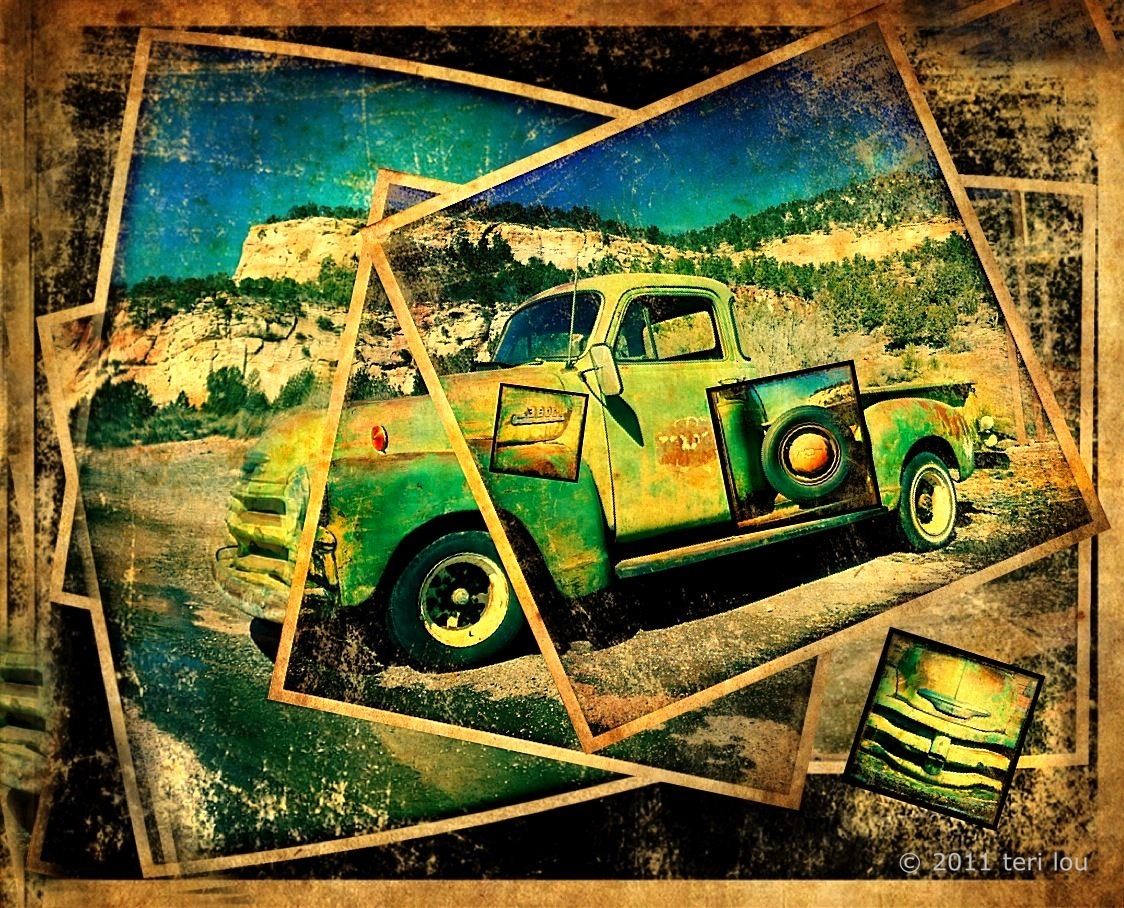
Chevy Truck Hipsta Montage

Built Tough
Some days it is difficult to come up with an original idea to post for the days blog. Today wasn't one of those days.A few days ago I was introduced to a new app 'Montage'. I have been reviewing a few ideas of how others have been using it but was struggling with a new look that was a little different than other montages that I was seeing.
I knew this Chevy that I captured along the way when I was in Utah was a great subject matter to start with. I spent the day attacking the new app from many different angles all day. However none of the ideas were resonating with the look I knew I wanted. As the deadline approached I began again. This time I was smiles from ear to ear as I added new layers and put them into place. So in honor of a Autostitch Hipsta style, I have rebuilt this Chevy from several images I captured that afternoon. For today's post, I offer this twist on a traditional montage image. The details of how I blended this beauty together will be explained in my iCreativity course that starts Monday, April 18th. Contact me at teri@terilou.com for more information.

Hipstamatic
AutoStitch
Montage
and others


Take your iPhone images to the next step with the power of blending, brushing and masking. Teri Lou is offering her first online advance course starting April 18th. Ask for more information about the course at teri@terilou.com