Showing posts with label old. Show all posts

September 26, 2014

Palouse Abandoned House Photography Tour

Palouse Photography Tours with Teri Lou
It was a busy summer and therefore my blogging came to a stand still. My goal for next month is to get back to it! As most of you know who follow my Facebook posts I became a grandma to Brayson John and my youngest daughter was a bride just last week. I also was thrilled to visit the Palouse several times as a tour leader.

Speaking of touring the Palouse... I recently launched a new website that I hope you all choose to follow. I also have a Palouse Meetup group anyone can join and of course a Palouse Facebook page that many of you 'liked' already - thanks much. In other words I am loving everything Palouse! and I get to visit next month since I am leading a private tour - lucky me!

Since I love the Palouse and leading tours I have recently announced 5, yes 5, Palouse tours for 2015. (and as always I am available for private tours all year long). The Shades of Green tour is being offered 3 times since May and June is such a popular time. Then in August I am offering the Abandoned House Tour and the Harvest and Family Farm Tour. Please check them all out since they each have unique opportunities.

Today I am highlighting the Abandoned House Tour since it was just announced and is available to only 4 participants. So I wanted you loyal blog followers to get the first opportunity to sign up. Please contact me if you have any questions.

I call this one Edith's Chair - Palouse Abandoned House

I have captured this chair in many different ways over the last 5 years. Palouse

Treasure in Palouse Abandoned Houses - come tour with me in August.

Teri Lou loves the Palouse - can't wait to visit again!

April 16, 2013

Old Trucks, iPhoneography style by Teri Lou

There once was a girl who liked to take photographs. Little did she know that old trucks would be such an enticing subject. The rust, layers of paint, and years of neglect is what attracted her.
What she didn't realize was how many others knew just how drawn she was to these trucks in fields, backyards and farms.
On more than one occasion when given the opportunity to go on a photo tour with fellow photographers the destination that was picked included the abandoned vehicles she loved so much. This last opportunity, once again, allowed her to practice her craft while surrounded by Ford's of yesteryear.
You can see by the selection, she created an assignment for herself to focus on the details. She picked the inside of the door with the two handles.

Processed with
Snapseed
Artista haiku
Monku Hanga
image Blender


November 6, 2012

Palouse Workshops - June and August - Sign up NOW!

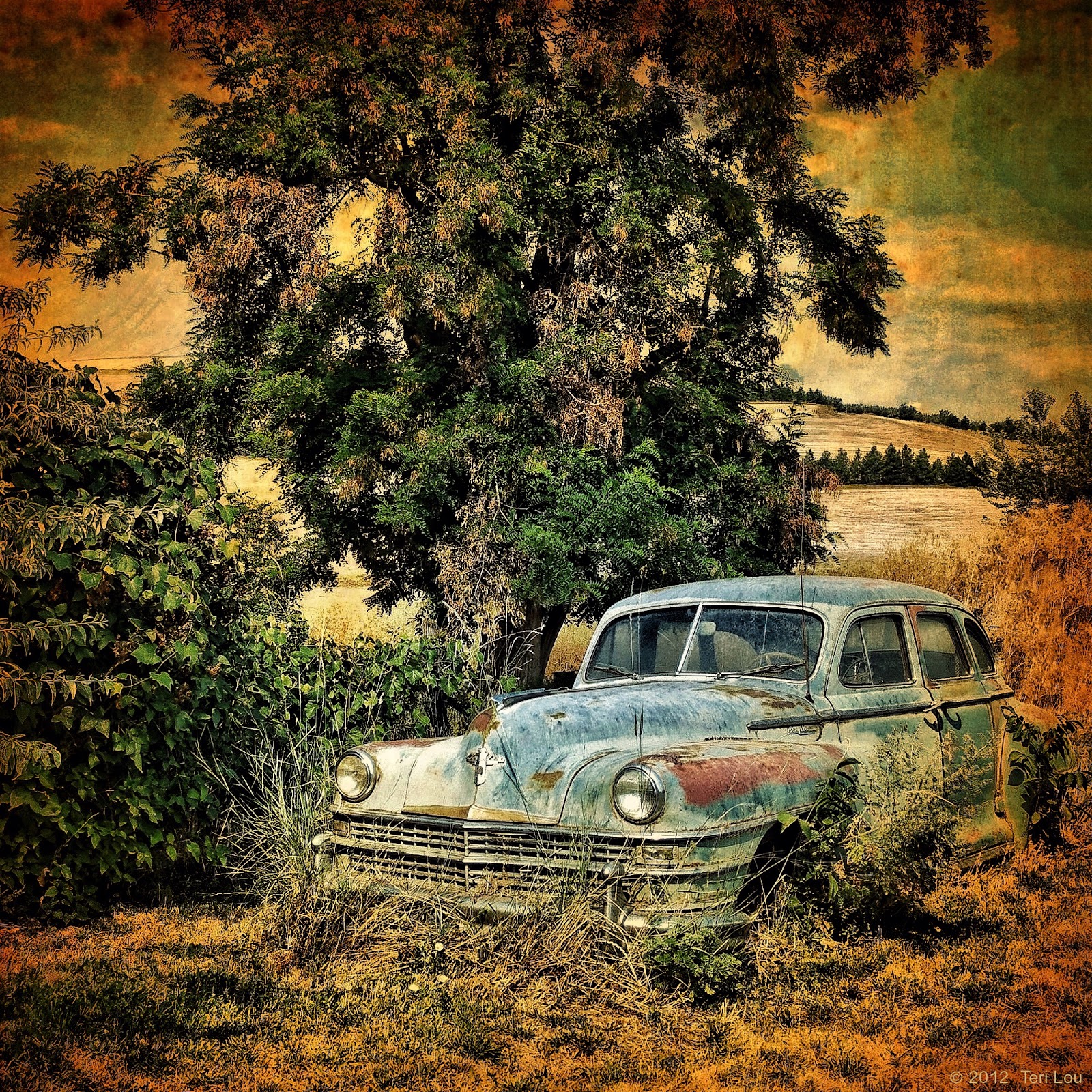
Processed Image of a car just outside of the Palouse
The original image - flat and uninteresting
Had fun with this one today! I used Snapseed, TouchRetouch, fxPhotoStudio and Filterstorm to create this dramatically improved image!

This weekend I put together the itinerary for the Palouse workshops in June and August. I will be starting the Workshop with a two day Beginner iPhoneography Class, then have a three day Palouse Photo Tour, followed by a two day Advanced iPad Creativity class.
So it will be a week full of fun and possibilities. Send me an email at teri@terilou.com to reserve your spot with a $100 deposit NOW!

Come join me on Google+ Hangouts. Circle me and I will invite you to join in the fun.

May 26, 2011

Step by Step iPhone App Processing

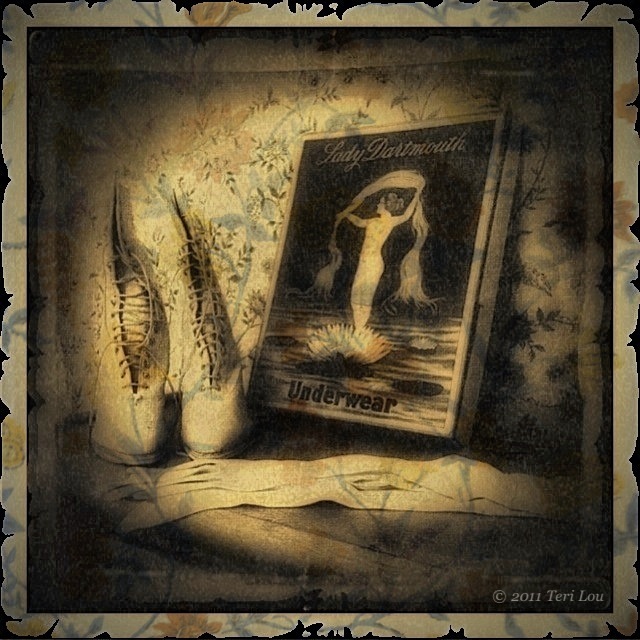
Another image from the Perkin House, Colfax, WA

Today's image was a surprise to me. From the beginning of the processing procedure, I decided I wanted to create an old photo feel, so instantly the app OldPhotoPro came to mind. (As always I sharpened the image first before applying any additional filters.) While finding that app I came across the app PhotoTreats and decided to remind myself to what was available there. I found a filter that super saturated the image and decided to apply it before bringing it into OldPhotoPro.
In OldPhotoPro I tried some various combination and instantly feel in love with the ragged frame. Even though the frame did add the appeal I was looking for I also wanted to continue playing with the possibilities of different framing options so I opened the image in fxPhotoStudio and added a thin black frame. I brought the image into OldPhotoPro again to add the ragged frame to the black portion.
Now with the thought of wanting to paint in the wall paper textureas part of the frame, I also captured that day, I once again added a frame in fxPhotoStudio but this time in white and wider so it would show through when blended in the app Blender.
Each time I processed the image in OldPhotoPro it became more aged and darker. I definitely liked the aged look but thought it was too dark so I used the app DynamicLight to brighten it a bit. Next I sharpened the image again using Perfect Photo. Then I was ready to blend. Using the simplest blending mode app, Blender, I opened the most current version and the wallpaper texture. My plan, as I stated earlier, was to paint the wallpaper just into the frame, however when I chose the multiply option I just loved how the wallpaper blended so well into the whole image - Surprise!
Even though I loved the look on the wallpaper on the image, I didn't want it to be as strong as the portion on the frame so next I opened the image with the blended wallpaper and the one just prior to that in Filterstorm and with a very low opacity brush lightened the inside of the image.
As always I added my copyright watermark with Impression.

This is just a concept that I wanted to share with all of you. It can be used in several ways. I hope this demonstration and explanation motivates and inspires you to see what is possible. I have many more lessons like this in my iCreativity course that is starting Tuesday May 31st.

For the step by step images I used the app Diptic.

original Hipsta Dream Canvas,  OldPhotoPro, fxPhotoStudio, OldPhotoPro

FxPhotoStudio, OldPhotoPro, DynamicLight, Filterstorm


iPhoneography Classes Available Now! - next class starts May 31st. If you would like to learn how to capture and process iPhone images beyond a basic snapshot take an Online iPhoneography Course with Teri Lou. Two courses are available iPhoneography 101 and iCreativity. Click on the direct links in the upper left hand column of this blog for information, pricing and schedule.